
Description
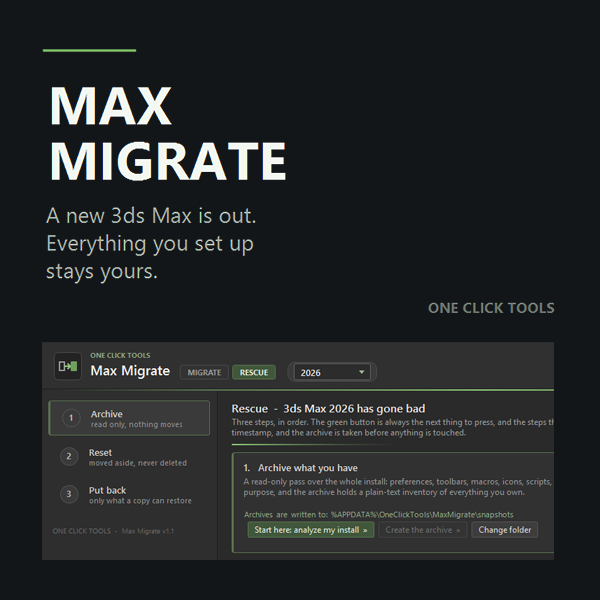
Installing a new version of 3ds Max usually means starting from zero: empty toolbars, factory hotkeys, dead paths, and every plugin reinstalled one at a time. Max Migrate carries your whole environment across instead — units and preferences, hotkeys (including plugin macro bindings, reconciled so a shortcut whose macro exists again comes back to life), toolbar layouts merged via targeted XML rather than overwritten, paths, macros, icons, workspaces, and your Corona, V-Ray and Arnold settings.
For plugins specifically, it inventories both the old and new installation, tells you exactly which versions are missing, links each one’s download page, and installs any copies you already have locally after verifying they target the correct version — it never copies a plugin binary across versions itself.
A separate Rescue mode handles the opposite problem: when an existing 3ds Max install starts misbehaving, it archives the whole setup (read-only, caches excluded), resets the profile to factory defaults without deleting anything, then replays your settings back into the clean files — reversible at every step. A Transfer mode packages your setup into a portable file for moving to a different machine entirely (new workstation, laptop, fresh Windows install), with a restore point taken before any write.
Nothing is ever deleted outright — at most a file is moved aside into a visible folder — and no write happens while 3ds Max is open.
Who it’s for: Any 3ds Max user or studio that regularly updates versions, runs multiple 3ds Max versions side by side, or has dealt with a corrupted installation and wants a faster recovery path than a full reinstall.
Requirements: Any 3ds Max version to any other version. No 3ds Max plugin installation. Runs as a standalone utility.


Reviews
There are no reviews yet