A new camera matching tool for 3ds Max and other 3D applications is making camera matching from photos faster and more accurate than ever.
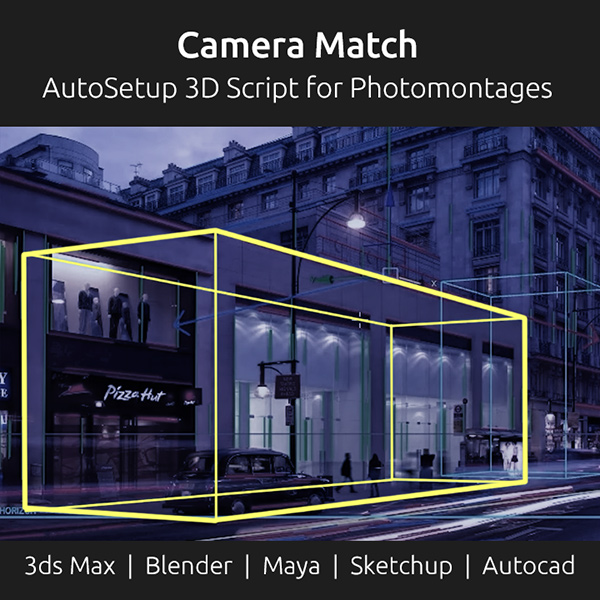
Camera Match AutoSetup v6 is an automated script that streamlines the photomontage process by detecting perspective directly from a single image and generating a perfectly aligned 3D camera in seconds.
Using advanced computer vision algorithms, the tool automatically detects vanishing points and horizon lines, removing the need for manual camera setup and reducing the time required to align 3D scenes with photographic backplates.
One of the key strengths of Camera Match AutoSetup is its ability to create properly configured Physical Cameras with accurate field of view, ensuring consistent perspective and realistic integration between 3D elements and real-world images. It also matches the render output resolution to the background image, helping maintain precision throughout the workflow.
Developed by renowned archviz artist and author Jamie Cardoso, Camera Match AutoSetup is available as dedicated versions for multiple 3D applications, including 3ds Max, Blender, Maya, SketchUp, and AutoCAD.
Additional features include automatic horizon line visualization and viewport background setup with overlay guides, making it a practical solution for photomontage and camera matching tasks.
For artists working with photo-based scene integration, tools like this can significantly speed up production while improving accuracy.
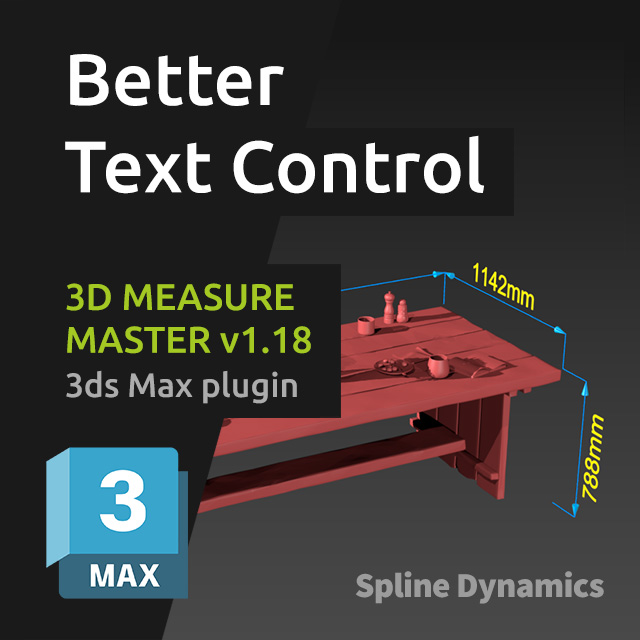
We’re happy to release 3D Measure Master v1.18, bringing several improvements focused on flexibility and workflow efficiency.
This update is largely driven by user feedback, addressing real production needs and expanding control over snapping and text handling.
What’s new
New snapping options: Pivot and Midpoint The new Pivot snapping mode is especially useful when working with helpers and dummies, allowing precise measurements even on objects without geometry.
Independent color control for texts Measurement values and annotation texts can now be colored independently from the main spline and end markers, using a dedicated color picker in the general settings.
Per-measurement text orientation controls Each measurement object now includes new text controls:
Rotate 90: rotates the text in 90° increments along the spline
Flip Vertically: flips the text upside down (180°)
These additions provide much finer control over text positioning and readability on a per-measurement basis.
As always, this update is free for existing users. Thanks to everyone who shared feedback and helped shape these improvements.
We’re pleased to introduce Hierarchy Guardian, a new professional tool designed to help 3ds Max artists analyze and clean complex scene hierarchies with confidence. Large scenes coming from CAD, BIM, Revit or SketchUp often arrive with deeply nested structures, leftover helpers, broken groups, or problematic transforms that can destabilize production workflows.
Hierarchy Guardian approaches cleanup differently. Instead of blindly modifying the scene, it performs a structural analysis first and presents a clear report showing the hierarchy structure, potential risks, and the expected impact of the cleanup. This allows artists to fully understand what will happen before applying any changes.
The tool is designed for production environments where reliability matters. With built-in safety mechanisms, scene backups, and intelligent cleanup rules, Hierarchy Guardian helps maintain stable hierarchies while preserving important elements such as instancing relationships, cameras, lights, and other critical scene components.
To celebrate the launch, Hierarchy Guardian is available with a 30% introductory discount until March 15, 2026. If you regularly work with large imported scenes or complex ArchViz projects, this is a great opportunity to add a robust hierarchy cleanup tool to your 3ds Max workflow.
New 3ds Max plugin Hierarchy Guardian, a robust hierarchy cleanup tool for ArchViz workflows.
We are Calling for Beta Testers! Help us improve this great tool with your feedback, and get a free license.
Scenes imported from CAD, BIM, SketchUp or third-party sources often hide deep hierarchies, nested groups, technical placeholders and inherited scale issues that can silently break a production pipeline.
Hierarchy Guardian is a professional hierarchy analysis and cleanup tool for 3ds Max, built specifically for ArchViz workflows.
Instead of destructive one-click cleanup, it analyzes your scene first, and shows a clear report exposing:
what will change
what will be preserved
what risks are involved
All cleanup operations are protected by automatic Hold snapshots, optional scene backups, and post-cleanup validation.
Clean hierarchies. Predictable results. Zero surprises.
We’ve just released a short walkthrough video and opened applications for the Hierarchy Guardian Beta Test.
Many 3ds Max scenes don’t become slow or unstable because of geometry or textures — they degrade internally over time. Legacy data, broken references, scripted garbage, or corrupted imports can quietly accumulate until a file becomes difficult to manage.
We just published a new article that breaks down what scene cleanup and sanitization really mean in 3ds Max, how these problems develop, and why traditional optimization techniques often miss the real cause.
The article also presents a curated selection of professional tools and native workflows, clearly explaining when each approach makes sense in real production scenarios.