Fix Imported Scenes, Populate Them Faster, and Deliver Clean Results
Get 4 powerful 3ds Max plugins in one package and take control of the most common pain points in architectural visualization — messy CAD imports, time-consuming asset placement, camera clipping issues, and the need for precise measurements.
Whether you’re preparing a scene from imported CAD or BIM files, building interiors and exteriors, or delivering final images to clients, this toolkit helps you work with confidence and avoid costly errors during production.
Save $42 — 35% off the individual prices.
Lifetime licenses · 2 computers · 3ds Max 2019 and higher
Already own 3D Measure Master? Get an extra $20 off when upgrading to the toolkit. Contact us for your coupon.
What’s included
Hierarchy Guardian
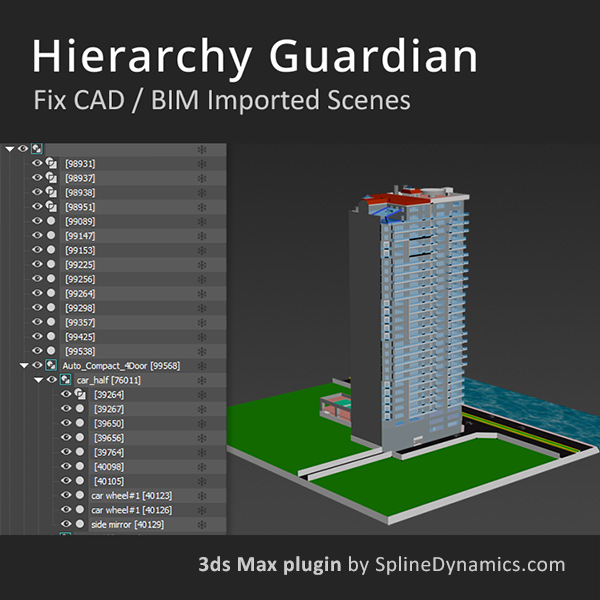
Analyze, clean, and validate complex scene hierarchies from CAD or BIM imports. Remove placeholders, reduce hierarchy depth, and ensure a stable scene structure.
Scatter Tools
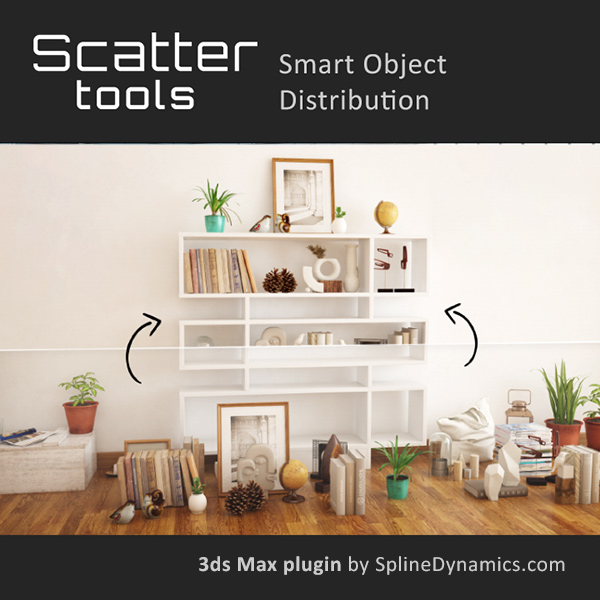
Distribute and rearrange objects across surfaces with full control. Populate interiors and exteriors quickly using smart placement methods.
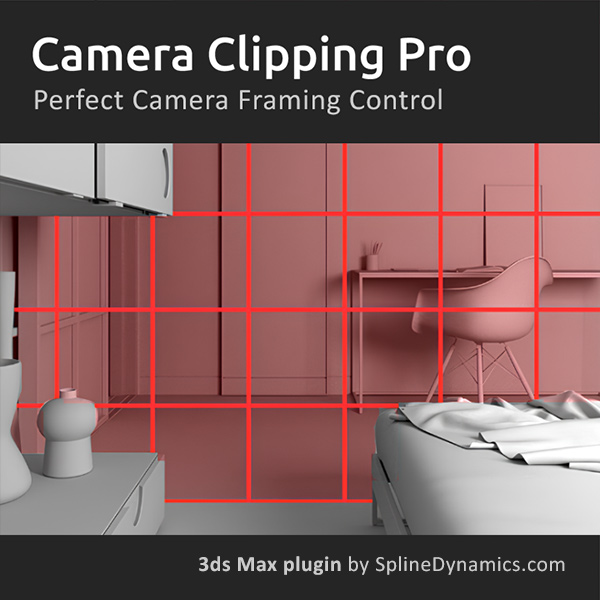
Camera Clipping Pro
Control camera clipping planes using scene objects instead of manual distance values. Maintain consistent framing while moving the camera in tight spaces.
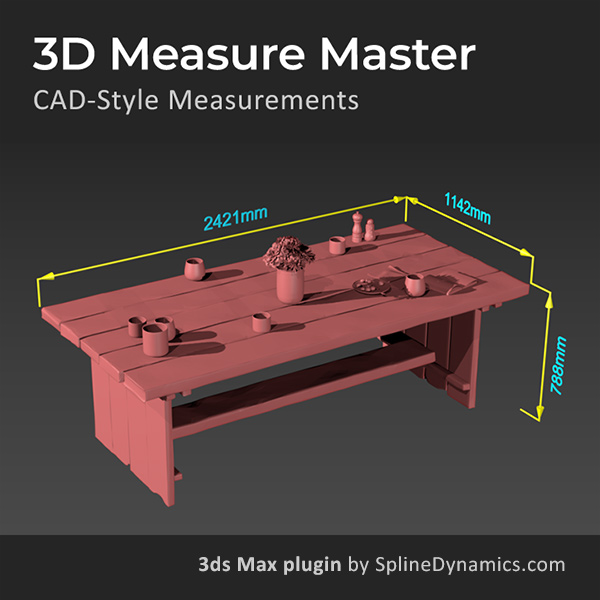
3D Measure Master
Create accurate, CAD-style measurements directly inside your scene. Validate dimensions, annotate models, and produce clean, renderable technical visuals.
Already own 3D Measure Master? Get an extra $20 off for existing users. Contact us for your coupon.
A production-ready ArchViz pipeline, not just a collection of tools
Each plugin addresses a specific stage where ArchViz projects typically slow down or break. Together, they take you from a messy import to a clean, validated, presentation-ready result:
1. Clean and stabilize imported scenes — Use Hierarchy Guardian to analyze and fix deep, unstable hierarchies from AutoCAD, Revit, SketchUp, or other external sources. Detect broken groups, leftover placeholders, and transform issues before they cause problems downstream. Apply corrections safely, with full control and automatic backup.
2. Populate and iterate your environment — Use Scatter Tools to distribute furniture, props, and decorative elements across surfaces quickly. Rearrange layouts, test variations, and fill interiors or exteriors without repetitive manual placement. Go from an empty scene to a fully dressed environment in a fraction of the time.
3. Set up cameras for tight spaces — Use Camera Clipping Pro to bind clipping planes directly to scene objects instead of managing manual distance values. Keep your shots clean and consistent when navigating interiors, confined spaces, or complex geometries — without losing framing every time you move the camera.
4. Validate dimensions and deliver with confidence — Use 3D Measure Master to verify proportions, annotate your model with accurate CAD-style measurements, and produce technical visuals that are both precise and presentation-ready. Catch scale errors before they reach the client, and deliver documentation that speaks for itself.
Who is this toolkit for?
This bundle is the right choice if you regularly work with any of the following in 3ds Max:
- DWG, DXF, or SKP imports that require cleanup
- Scenes with deep or unstable hierarchies
- Interior or exterior environments with many assets
- Layouts that require fast iteration and rearrangement
- Camera setups that break due to clipping issues
- Projects that require precise measurements and validation
- Client work where accuracy and clarity are critical
It is ideal for professionals in Architectural Visualization, Interior Design, Real Estate Visualization, and any production environment handling architectural scenes.
What our users say
✔️ Diego I. (verified owner – Hierarchy Guardian)
“Cleanup tools are always welcome, an this is a good one.”
✔️ Sulkhani Tsiklauri (verified owner – Hierarchy Guardian)
“Made the Scene much responsive”
✔️ Allan Schebsdat Bedoya (verified owner – Camera Clipping Pro)
“Super! Now it’s much easier to set up the camera!!! I recommend buying it!!!”
✔️ Dragan (verified owner – 3D Measure Master)
“Best measure tool for Max I used until now.“
Save $42 — 35% off the individual prices.
Lifetime licenses · 2 computers · 3ds Max 2019 and higher
Already own 3D Measure Master? Get an extra $20 off when upgrading to the toolkit. Contact us for your coupon.
Also working with heavy scenes? See the Scene Optimization Toolkit.
Related topics: archviz tools 3ds max, CAD import cleanup 3ds max, hierarchy cleanup 3ds max, scene organization 3ds max, scatter objects 3ds max, furniture distribution 3ds max, camera clipping control 3ds max, interior rendering tools 3ds max, architectural visualization workflow, 3d measurement tools 3ds max, CAD precision 3ds max, scene validation 3ds max, archviz productivity tools