
Batch Texture Optimization for Fast Rendering in 3dsMax, with Proxy Textures plugin!
A quick tutorial on how to easily reduce and optimize hundreds of textures from backround objects in your 3dsMax scene to speed up your renders.
Get the plugin here: https://www.splinedynamics.com/proxy-textures/
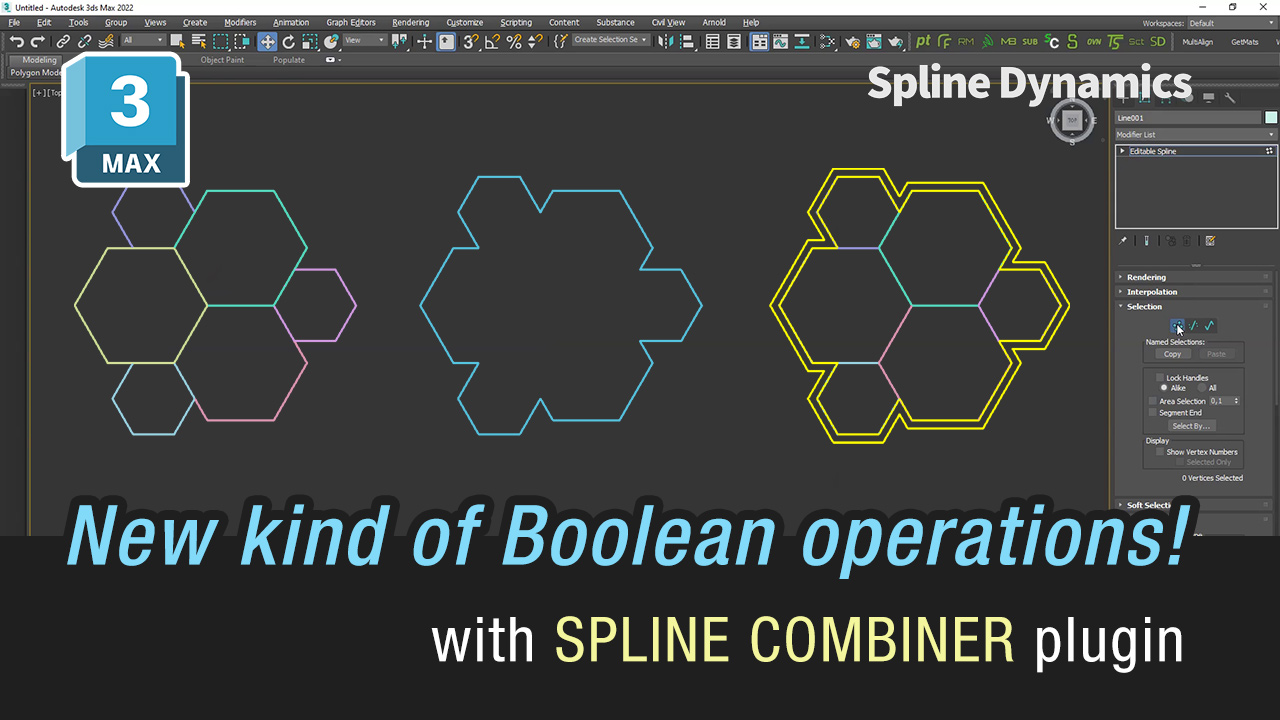
New feature in Spline Combiner 3dsMax plugin v1.20!
Introducing a new tool that lets you perform Boolean operations and other types of combinations between shapes with coincident/overlapping edges or segments.
It works with both open and closed splines. This method accurately preserves the original lines and saves a lot of time.
It allows you to quickly process multiple shapes at once. Ideal for easily obtaining outlines/contours and combining curves from a set of shapes.

New mini tutorial released! 🔥
Learn how to easily create and manage multiple Path Deform (A.K.A. spline wrapping) animations in 3dsMax, with the help of TurboSplines plugin.
This quick tutorial shows you the process of animating a bunch of golden strands, gently growing like branches, from a set of beautiful curly curves.


TurboSplines 3dsMax plugin update v1.20 released.
We implemented the use of the latest Path Deform modifier introduced in 3dsMax 2018.3, so you can take advantage of its great features.
The plugin keeps full compatibility with previous versions using the Path Deform (WSM) modifier.
Get this update here: https://www.splinedynamics.com/product-updates/

New quick tutorial showing how to smartly clean your shapes from overlapping splines, segments and vertices in 3dsMax.
Introducing a new exciting feature to detect and remove overlapping splines with Spline Cleaner 3dsMax plugin.
Check out the new update version 1.85!
