
We create reliable, production-ready plugins designed to eliminate bottlenecks and streamline workflows in 3ds Max. Our tools empower professionals in ArchViz, CG Animation, and Game Art to focus on creativity by automating tedious, repetitive tasks.
Recommended Tools
Not sure where to start?
These are some of our most useful 3ds Max plugins, covering common tasks like cleanup, animation, measurement, and rendering.
Clean & Fix Imported Curves
SPLINE CLEANER
Clean messy CAD splines, fix broken shapes, and prepare your scene for production in seconds.
Measure with CAD Precision
3D MEASURE MASTER
Take accurate measurements directly inside your scene, ideal for technical and CAD-based workflows.
Render Multiple Scenes Automatically
OVERNIGHT BATCH RENDER
Set up your renders once and let them process while you’re away. Simple, fast, and reliable.
See a Tool in Action
A quick example of how our 3ds Max plugins work inside real production scenarios.
All 3ds Max Plugins
Browse the full collection of tools, each built to solve a specific task in production.
Working with Splines
Tools designed to clean, edit, and manage spline curves at every stage of your workflow. Whether you’re processing CAD imports, building models from vector curves, or preparing shapes for extrusion and procedural modeling, these plugins give you precise control over your splines — individually or in bulk.

Spline Cleaner
Clean, repair, and optimize messy spline curves in seconds.
SubSpline
Advanced subobject selection and material ID editing for spline shapes.
Spline Combiner
Edit multiple splines at once, perform boolean operations, and control intersections.
Spline Refiner
Quickly optimize spline resolution with surgical precision.
Spline Data
Get real-time information and metrics from spline curves in your scene.
Get all 5 plugins together at 40% off their individual prices with the Spline Workflow Toolkit.
Spline Animation & Motion
Procedural tools for generating complex spline shapes and animating geometry along paths. From growing cables and light trails to DNA strands, coils, and mathematical curves. These plugins turn simple splines into dynamic, animation-ready elements with minimal effort.

SuperHelix
Create complex helix splines for modeling, animation, and VFX.

Spiros
Generate spirals, helices, and torus knots with mathematical precision.

TurboSplines
Generate multiple spline wrapping or path deform animations quickly and efficiently.
Get all 3 plugins together at 35% off their individual prices with the Spline Motion Toolkit.
ArchViz Production
Specialized tools for the most common bottlenecks in Architectural Visualization workflows: cleaning unstable hierarchies from CAD and BIM imports, populating scenes with furniture and props, controlling camera clipping in tight interior spaces, and validating dimensions with CAD-style precision. Built for professionals who work with imported data every day.
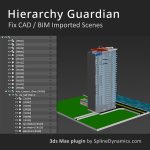
Hierarchy Guardian
Analyze, clean, and validate complex scene hierarchies for ArchViz workflows.

Scatter Tools
Randomize and redistribute objects in your scene with ease.

Camera Clipping Pro
Control camera clipping planes with precision and flexibility.
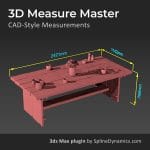
3D Measure Master
Take accurate, CAD-style measurements directly inside your scene.
Get all 4 plugins together at 35% off their individual prices with the ArchViz Production Toolkit.
Scene Optimization & Rendering
Performance tools for keeping heavy scenes manageable and render pipelines running smoothly. Convert high-poly objects to proxy geometry, replace heavy textures with lightweight stand-ins for faster viewport navigation, and automate your render queue so your machine keeps working while you don’t. Essential for any project where scene complexity or render time is a bottleneck.

Q-Proxies
Generate and manage renderer-independent proxy geometry.

Proxy Textures
Create low-resolution texture versions to speed up heavy scenes.
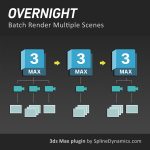
Overnight Batch Render
Render multiple scenes automatically in sequence.
Get all 3 plugins together at 30% off their individual prices with the Scene Optmization Toolkit.
Variations & Presentation
Tools for generating multiple asset or scene variations and presenting them as polished, professional animations — without needing animation expertise. Use RandoMixer to produce and manage combinations of objects, materials, lights, and cameras, then bring them to life with Showcaser’s procedural presentation system. Ideal for product visualization, interior design, character collections, and any workflow where showing multiple options matters.

RandoMixer
Generate and manage multiple scene or asset variations.

Showcaser
Create animated presentations of products and scenes without animation knowledge.
Get these 2 plugins together at 30% off their individual prices with the Product Presentation Toolkit.
