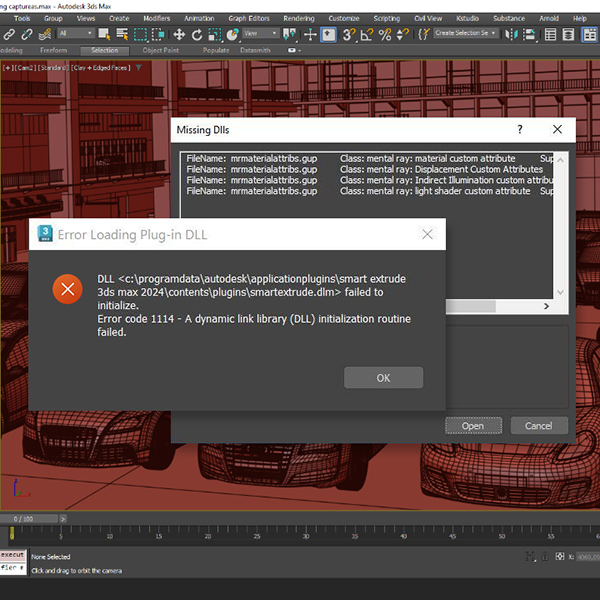
New Article: Cleaning Bloated 3ds Max Scenes

Many 3ds Max scenes don’t become slow or unstable because of geometry or textures — they degrade internally over time. Legacy data, broken references, scripted garbage, or corrupted imports can quietly accumulate until a file becomes difficult to manage.

We just published a new article that breaks down what scene cleanup and sanitization really mean in 3ds Max, how these problems develop, and why traditional optimization techniques often miss the real cause.

The article also presents a curated selection of professional tools and native workflows, clearly explaining when each approach makes sense in real production scenarios.

Cleaning & sanitizing broken or bloated 3ds Max scenes

Read the full article here:
https://www.splinedynamics.com/blog/cleaning-and-sanitizing-broken-or-bloated-3ds-max-scenes/

Share

Free 3ds Max Tools for your ArchViz Workfow

New article published on the blog: “9 Helpful Free 3ds Max Scripts from ArchVizTools.”
In this post, we highlight nine free tools from our partner ArchVizTools that can make everyday work in 3ds Max faster and more efficient. Each script includes a short overview, images, and direct download links.

If you want to discover useful tools you can add to your workflow right away, you can read the full article here: https://www.splinedynamics.com/blog/9-helpful-free-3ds-max-scripts-from-archviztools/

Share

Build Product Catalogs in 3ds Max – RandoMixer v1.15 update

RandoMixer v1.15 update is out, with amazing features!

Now you can automatically generate FULL PRODUCT CATALOGS in 3ds Max.
This update adds a new combination mode: “Sequential – All Materials”, which produces every possible model + material variation with no randomness.
Perfect for furniture lines, product design, configuration workflows, and any project that requires clean, systematic combinations.

We also added several new material tools and increased the limit to 50 materials per Set or Element, making it much easier to manage complex variations.

This short video shows the complete workflow:

  • Loading product variants
  • Assigning materials from scene objects or .mat libraries
  • Creating all deterministic combinations
  • Rendering the full catalog automatically

If you work with product visualization or need to generate many variations, this update should save you a lot of time.

Get RandoMixer : https://www.splinedynamics.com/randomixer/

Download v1.15 update: https://www.splinedynamics.com/product-updates/

Share

Black Friday 2025: Get 30% OFF All 3ds Max Plugins!

Black Friday is here — and it’s the perfect time to upgrade your 3ds Max toolkit!

From November 24 to December 3, you can get 30% OFF all SplineDynamics plugins or commercial scripts.

Use this coupon code: black30

This discount applies to every product on the site (except bundles), so it’s a great opportunity to grab the tools you’ve been wanting at a reduced price.

Whether you work in modeling, animation, archviz, motion graphics, VFX, or technical visualization, our plugins are designed to boost your workflow and save you hours of production time inside Autodesk 3ds Max.

Don’t miss out — the offer is available only for a limited time!

Go Shopping!

Share

New Features in 3D Measure Master

3D Measure Master is getting better and better!

These highly requested features were implemented in versions 1.10 to 1.12:

  • Multi-Tape Bounding Box. Generates an independent tape measure for each dimension of an object. Fully customizable.
  • Custom Text Notes. Write annotations in the measurement text, either replacing or accompanying the numeric value.
  • Text Thickness Parameter. Control the thickness of TextPlus labels for perfect visual balance.
    Measure, annotate, and present your 3D scenes with true CAD-style precision — directly inside Autodesk 3ds Max.
  • Added 3 new imperial unit formats: Decimal Inches, Inches (1/8″ fractions), and Feet + Inches (1/8″ fractions).
  • Implemented an automatic updater that detects and updates measurement objects created with older versions of the script, to maximize backwards compatibility.

Get the plugin here: 3D Measure Master

Share